
Most of the artwork questions our team answers come down to three things: when to send it, how to send it, and how big it needs to be. At Displayit, we have printed graphics for more than 10,000 exhibitors from our facility in Buford, GA since 1996, and the process is the same for all of our trade show displays: place your order, set up your file on our template, and upload your artwork with your order number. The one-minute video below walks through each step, and the checklist after it covers the file requirements our artwork team checks.
Read the video transcript
Here's how to submit your artwork to Displayit. It's as easy as one, two, three: place your order, create your artwork, and display with confidence. Step one: place your order. Add your display to the cart, proceed to checkout, and complete your purchase. After you order, save the order number from your confirmation email. Step two: on your product page, click Graphic Templates, then open the template link. Your template shows the exact dimensions for your display and lists every print requirement. Step three: go to displayit.com/upload-art. Enter your email, company name, and order number. Then attach your file and click Submit. Save your file as a PDF in CMYK, with images at 100 DPI at full print size. We'll email you a proof within two business days. Approve it, and we print. Questions? Call, email, or chat with our team.
When do you submit artwork for a Displayit order?
After you place your order, not during checkout. Your order confirmation email includes your order number, and that number is how we match your file to the right product.
Why we do it this way: Many display companies ask for artwork at checkout, so your design has to be finished before you can order. With Displayit, you can order as soon as you choose your display, then design on the exact template for it. Our artwork team reviews your file and sends you an eProof before anything prints, so issues get caught on screen instead of at your booth.
How do you upload trade show display artwork to Displayit?
- Download your template. On your product page, click the Graphic Templates tab below the product images. The template shows the exact print size, bleed, trim, and safe zone for that display, along with its artwork requirements.
- Set up your file on the template. Extend background images to the bleed line, keep text and logos inside the safe zone, and hide or delete the template lines before you export. For layout ideas, see our booth design principles and examples.
- Upload your file. Go to displayit.com/upload-art, enter your email, company name, and order number, add notes such as PMS color matches in the Details field, and attach your file. Each file can be up to 1 GB.
- Approve your eProof. We email a digital proof within 2 business days of receiving your artwork. Production starts once you approve it.
Fast proof approval keeps your order on schedule. Our Reveal 33" banner stand, for example, ships in an average of 4 business days after art approval. If you are planning around a show date, check our shipping times to major convention cities.
How big does trade show display artwork need to be?
Bigger than most people expect. Trade show graphics are large-format prints, so your images need at least 100 DPI at the full printed size, not at screen size. Our artwork team says image size is one of the two things customers ask about most.
Here is what that looks like on a real product. The Reveal 33" banner stand template is 33.5" x 85.25" with bleed. At 100 DPI, your file needs to be 3,350 x 8,525 pixels. Images pulled from websites or social media are usually a small fraction of that. Before you upload, zoom your file to 100% and make sure photos still look sharp.
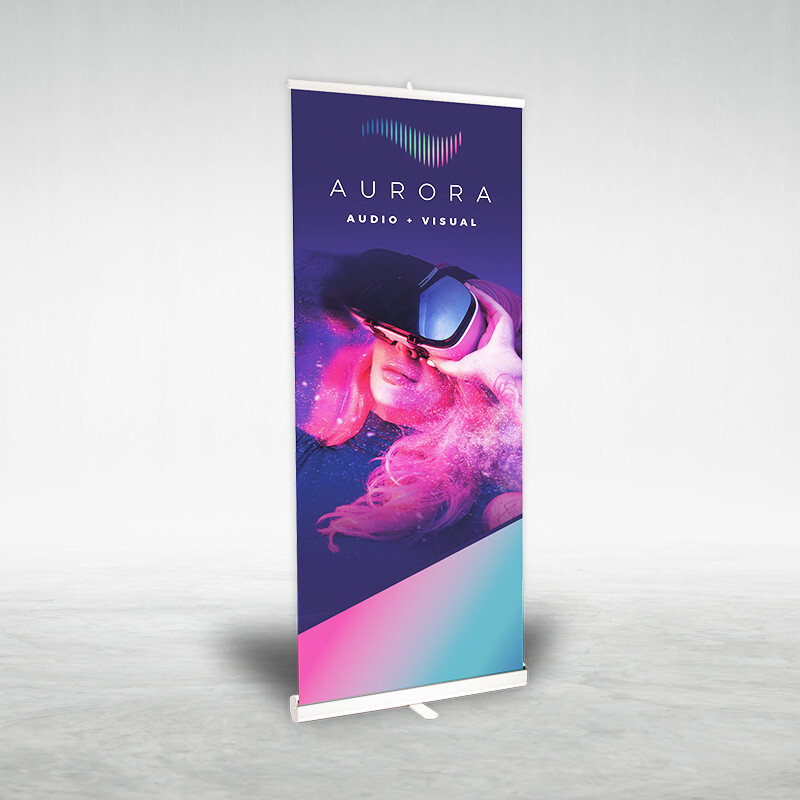
For more on how large-format graphics are produced, see our guide to graphic types, printing costs, and design.
What file requirements does Displayit check before printing?
| Requirement | What to Send |
|---|---|
| File format | PDF preferred. AI, PSD, or TIF accepted, but may require additional setup time |
| Color mode | CMYK, not RGB |
| Rich black | C=60, M=60, Y=60, K=100 |
| Text | Outline all text |
| Images | Embedded at 100 DPI at full print size |
| Template lines | Hidden or deleted before export |
| Brand colors | List any critical PMS colors in the Details field when you upload |
Your product's template lists the requirements for that specific display. Ordering replacement graphics for a display you already own? The upload process is the same.
Frequently Asked Questions About Submitting Artwork
Your graphic is the first thing attendees see, so it is worth getting the file right before it goes to print. Watch the video, download your template, and run through the checklist above before you upload. If you have questions about your template or file setup, schedule a consultation with our team.

About the Author
Jen Smithson is the VP of Marketing & Websites at Displayit, a U.S. based trade show display manufacturer that has been helping companies exhibit with confidence since 1996. With 20 years of experience in the trade show industry, Jen works across the entire organization to connect exhibitors with the right display solutions, from first-time buyers choosing their first booth size to enterprise teams planning multi-show schedules. Displayit designs, prints, and ships custom trade show displays from its facility in Buford, GA. For personalized guidance, schedule a free consultation with the Displayit team.